Steer your coding agents from your phone
Approve commands and fix wrong turns in your Claude Code, Codex and Pi (experimental) sessions, end-to-end encrypted.
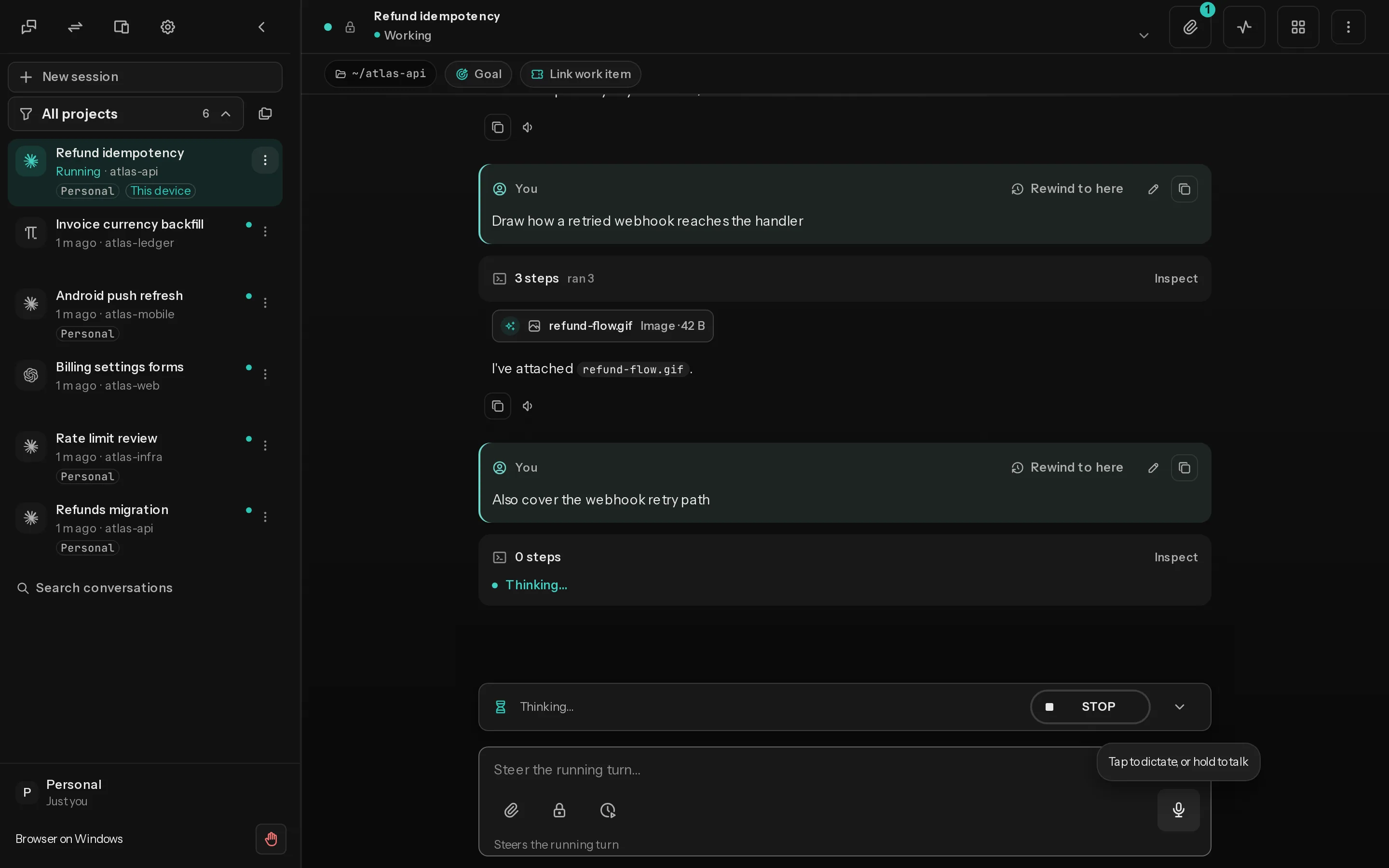
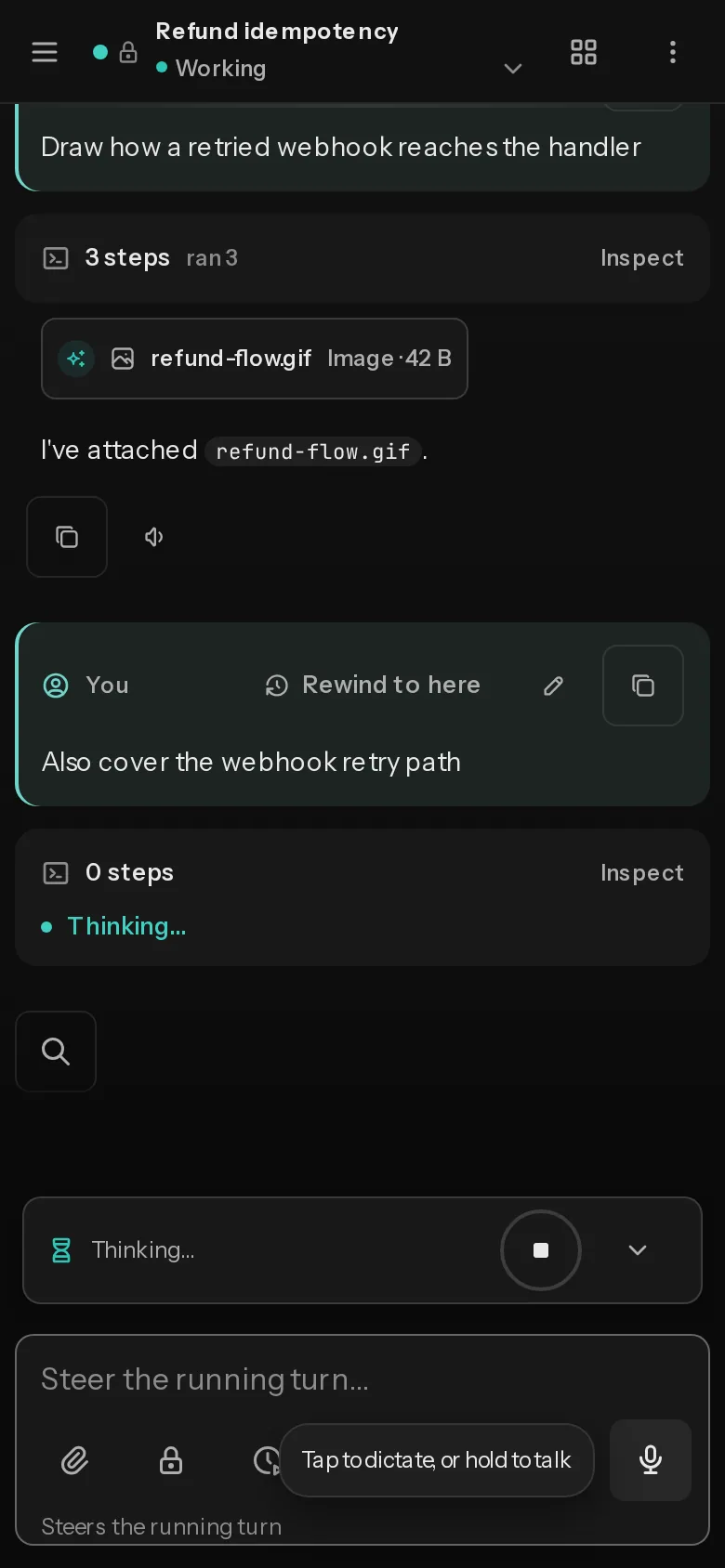
A session mid-turn, with a Stop button.
Every session in one list
Claude Code, Codex and Pi (experimental), each with its project and last activity. Start new ones from your phone.
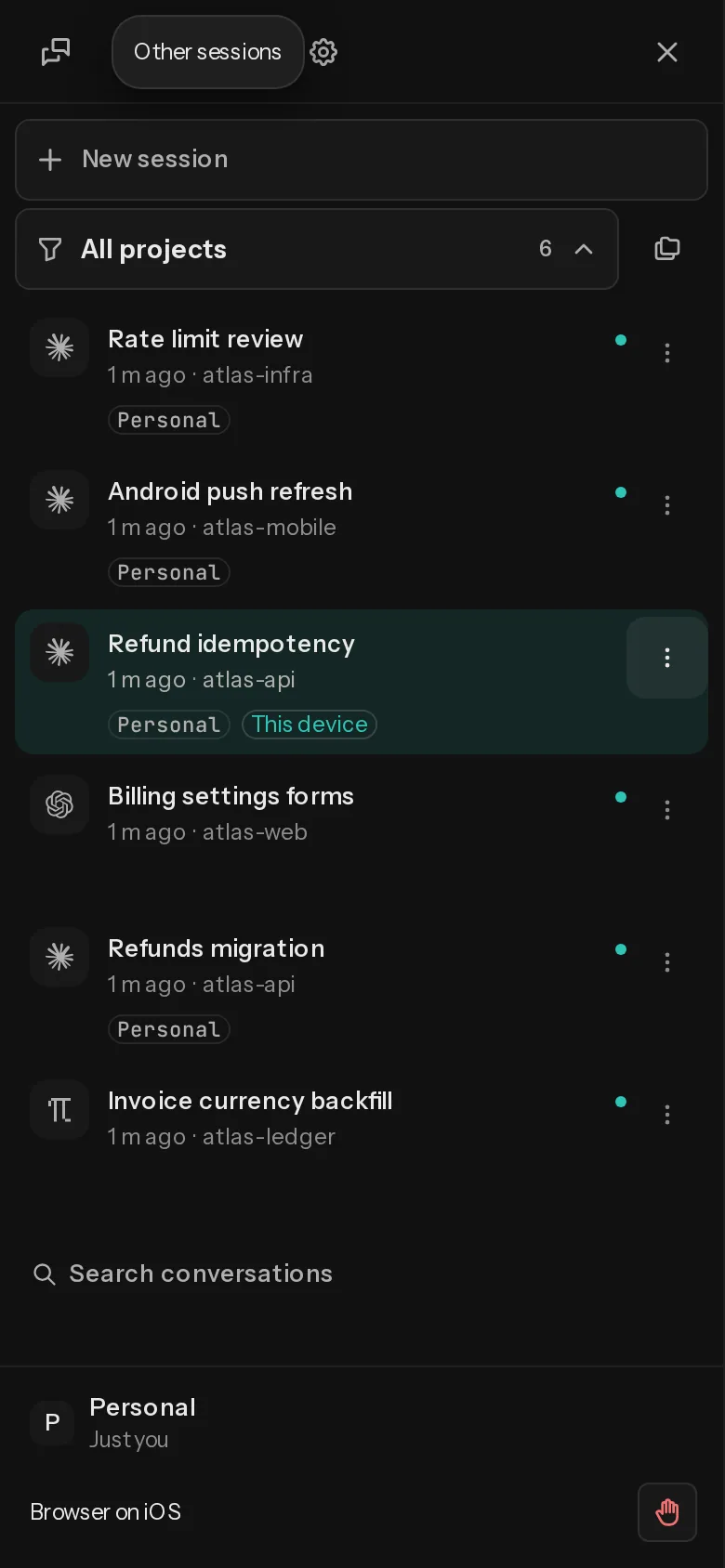
Switch a session to another account
Move a running session between your work and personal Claude Code logins, transcript and queue included. If the new login fails, it switches back.
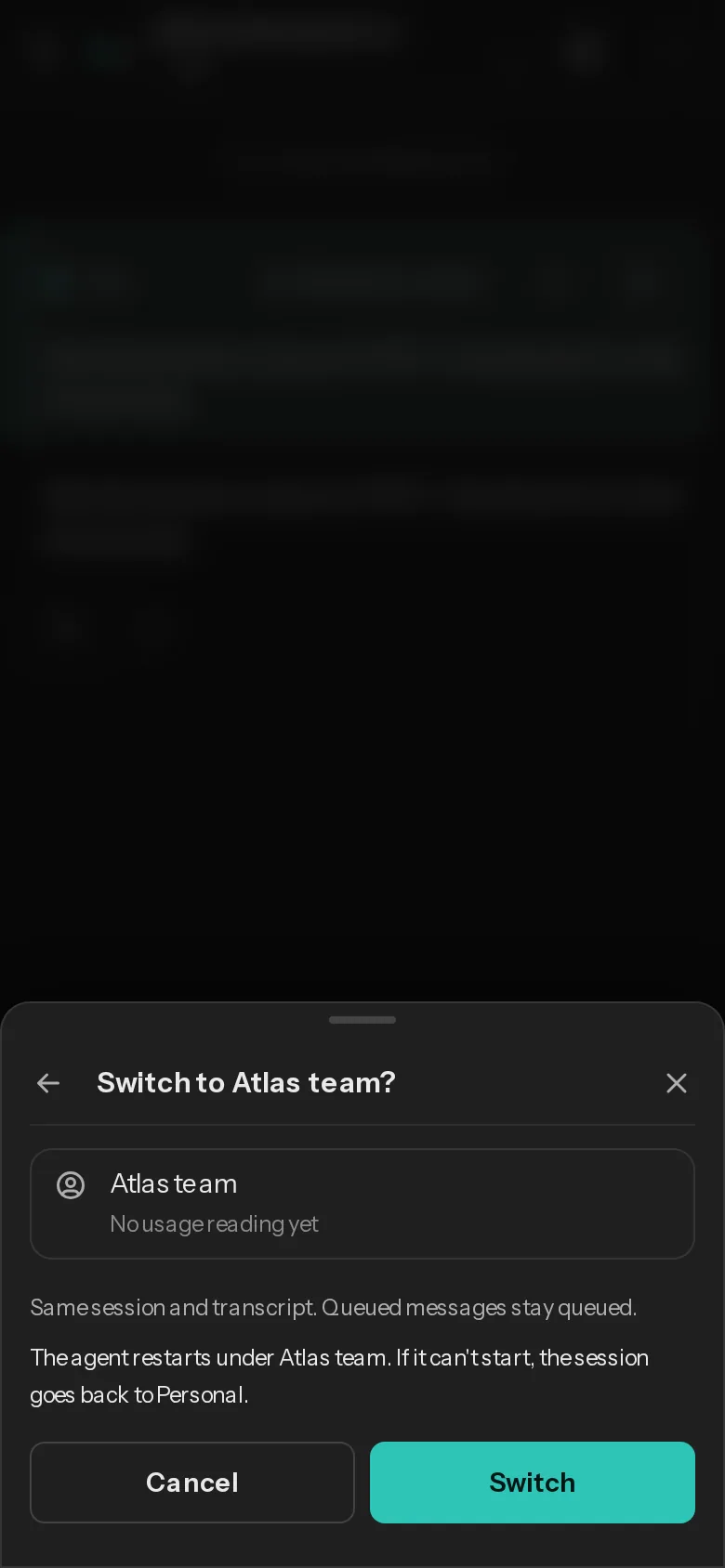
Watch the work, then steer it
Replies and tool calls arrive live. Send a correction and the agent gets it at the next safe point.
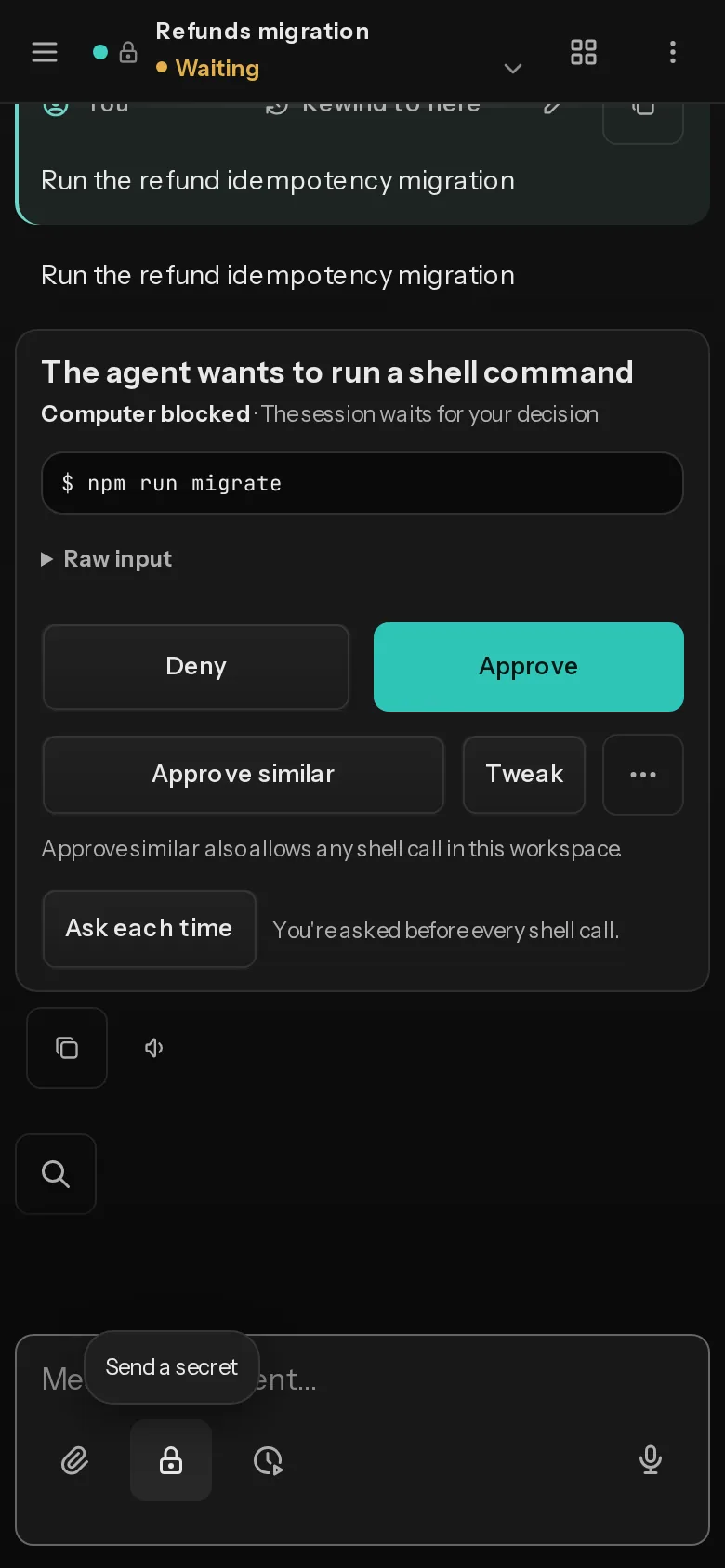
Approve from anywhere
Approve, deny or edit a command when the agent asks. The push names the session and the reason, nothing the agent wrote.
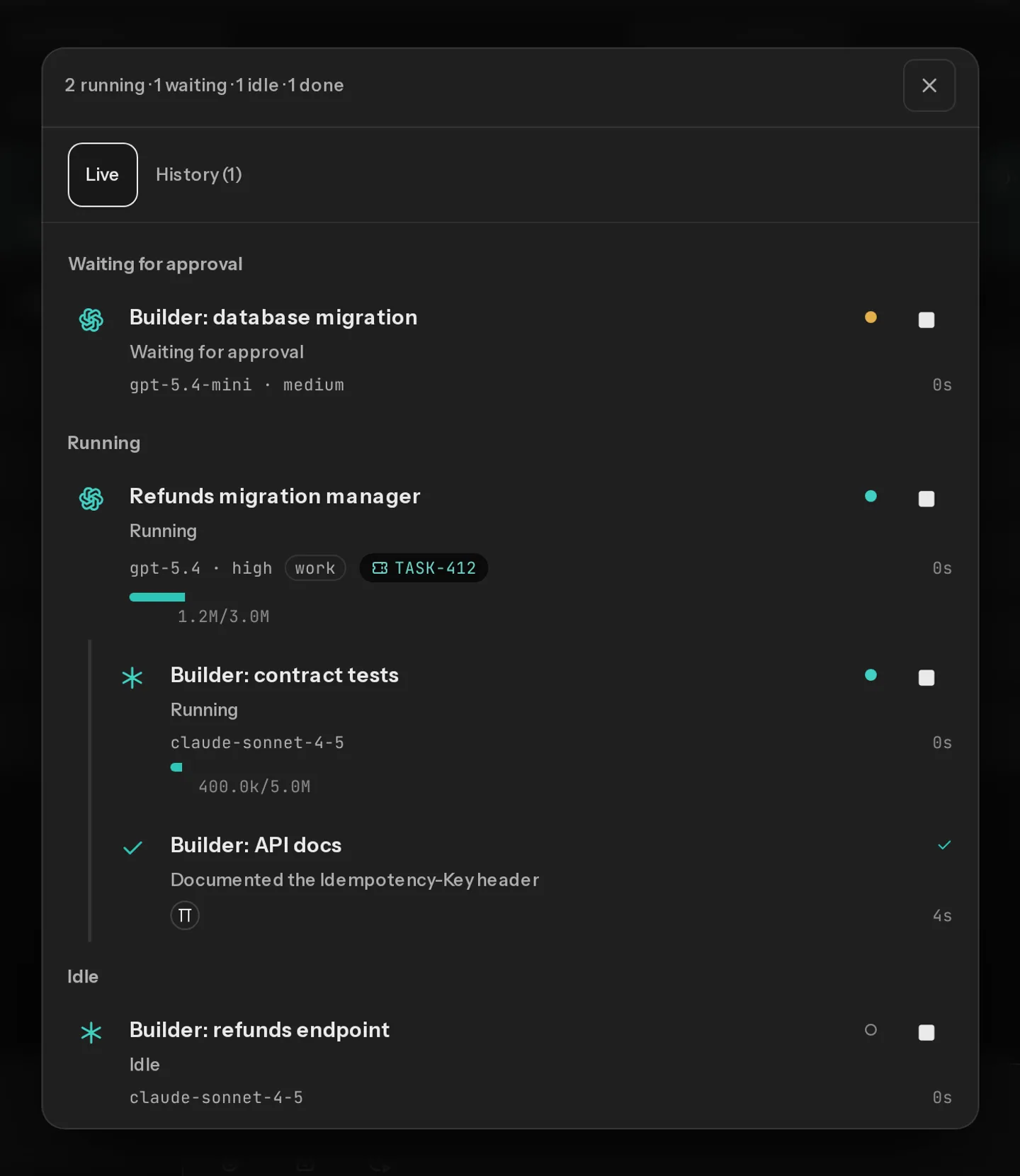
Sub-agents stay under their parent
A session can start other agents and keep working. Open one from the tree to read, prompt or stop it.
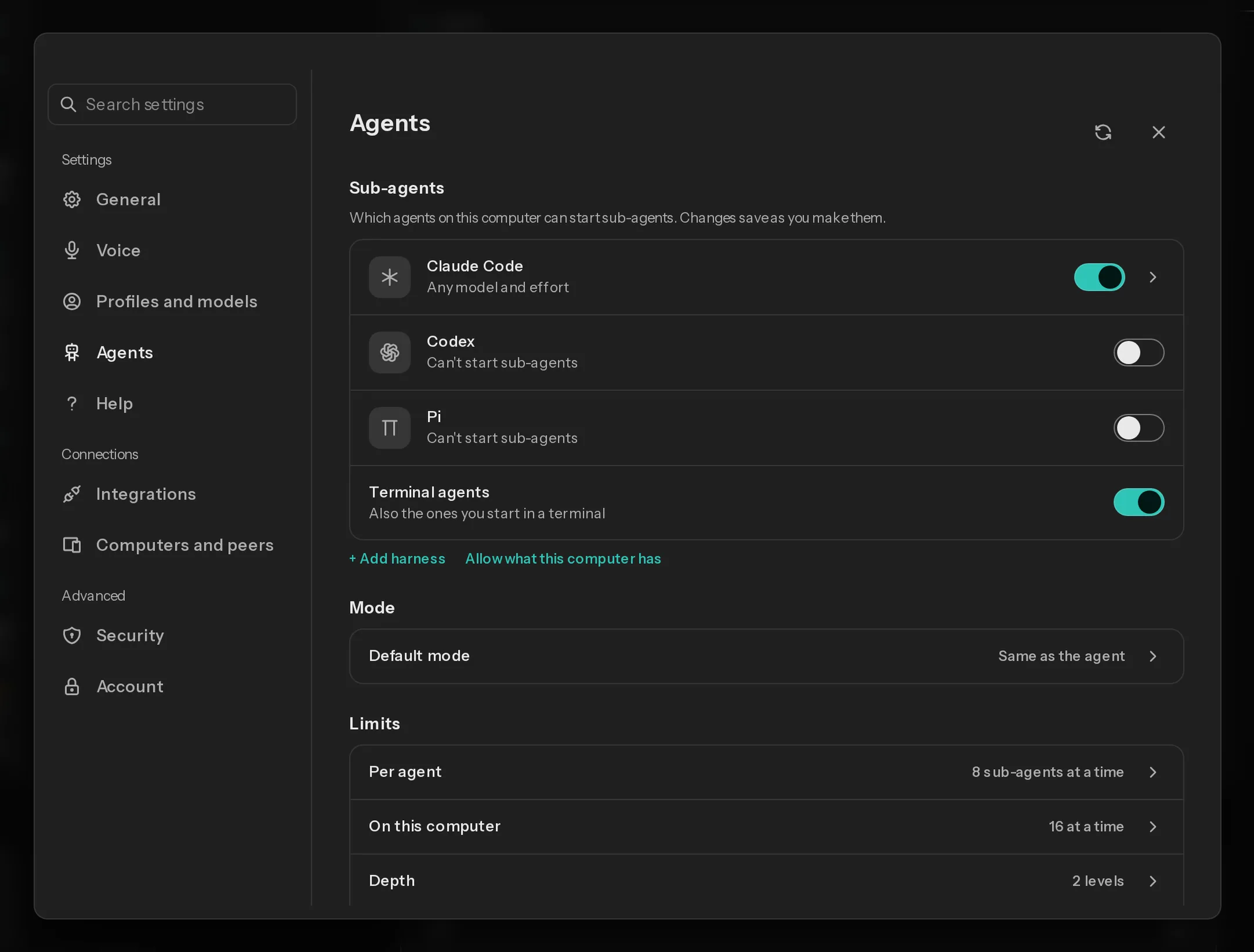
You decide which agents can start others
Allow agents and models one by one, and set limits. Nothing starts until you allow it.
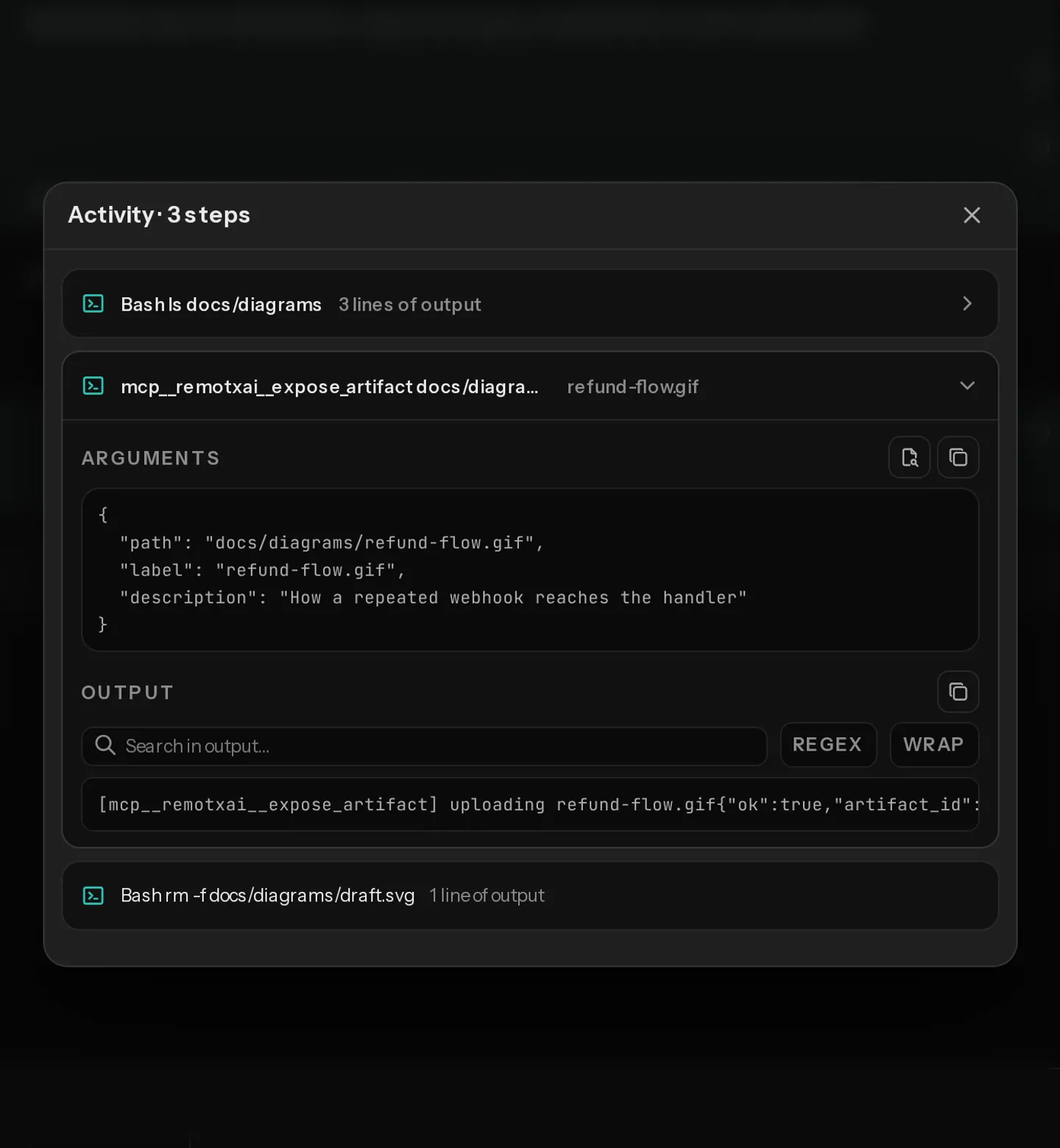
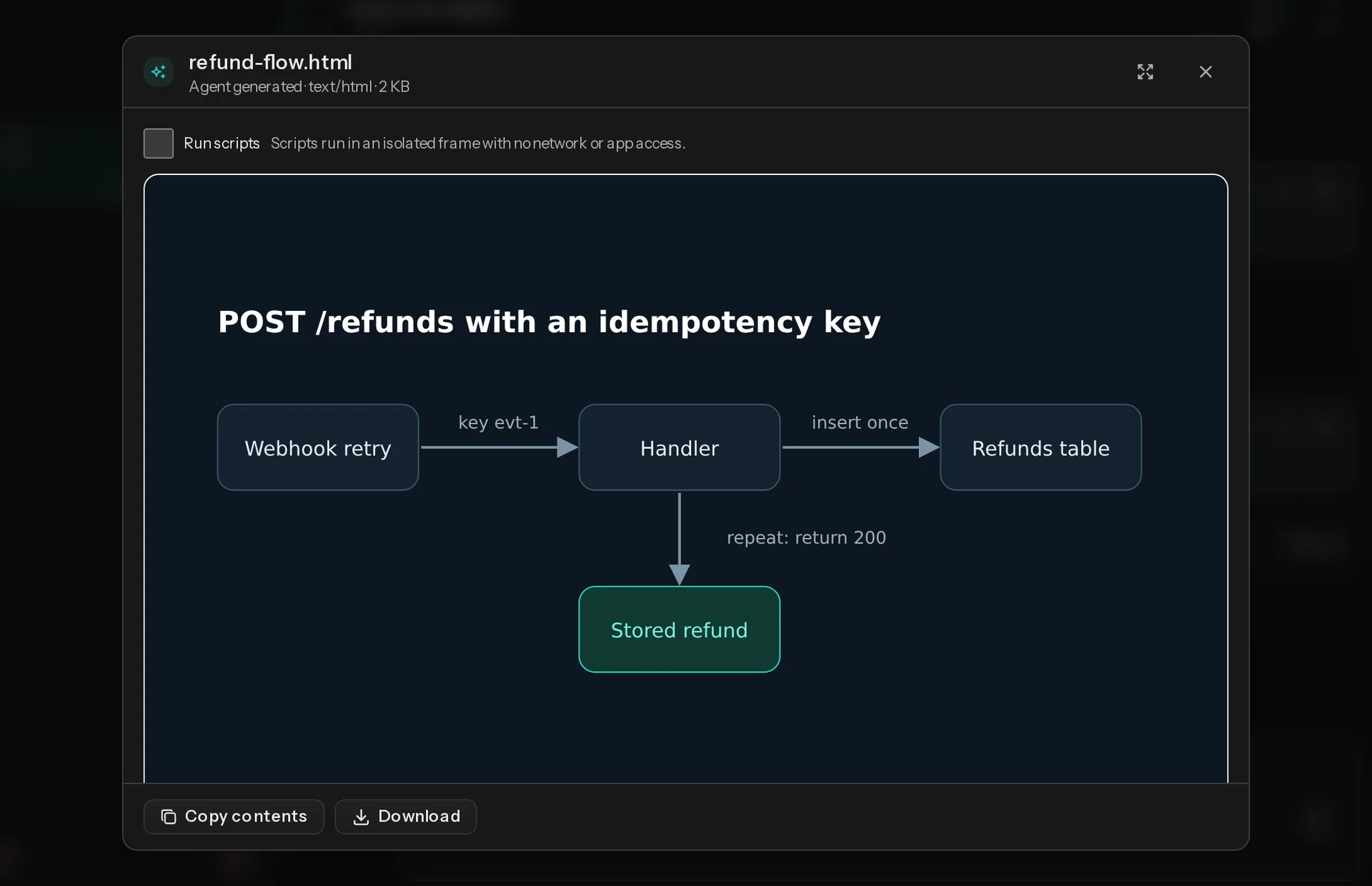
Files from your agent, on your phone
Shared files arrive as cards. Images, SVG, HTML, PDF, text, Markdown, JSON and YAML preview in the app.
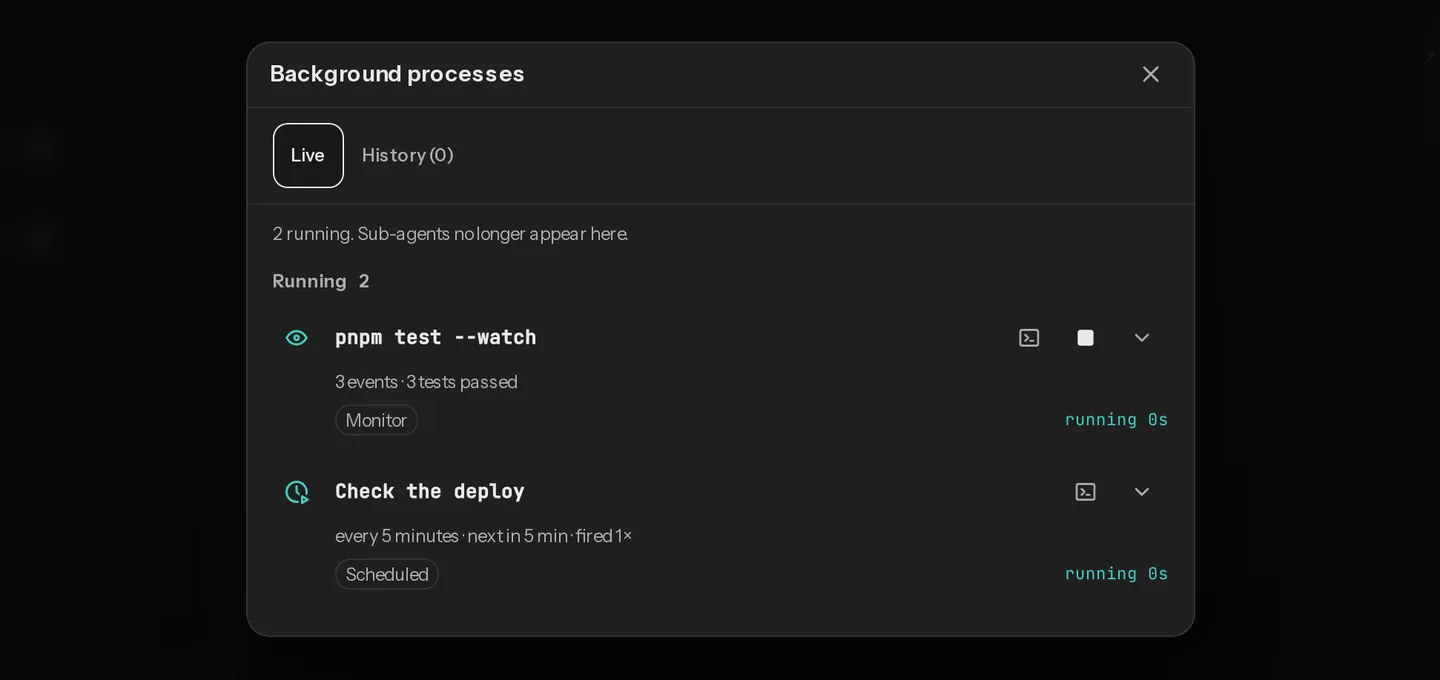
Background processes, live
Dev servers and test watchers left running show up in a drawer. Tap one to follow or stop it.
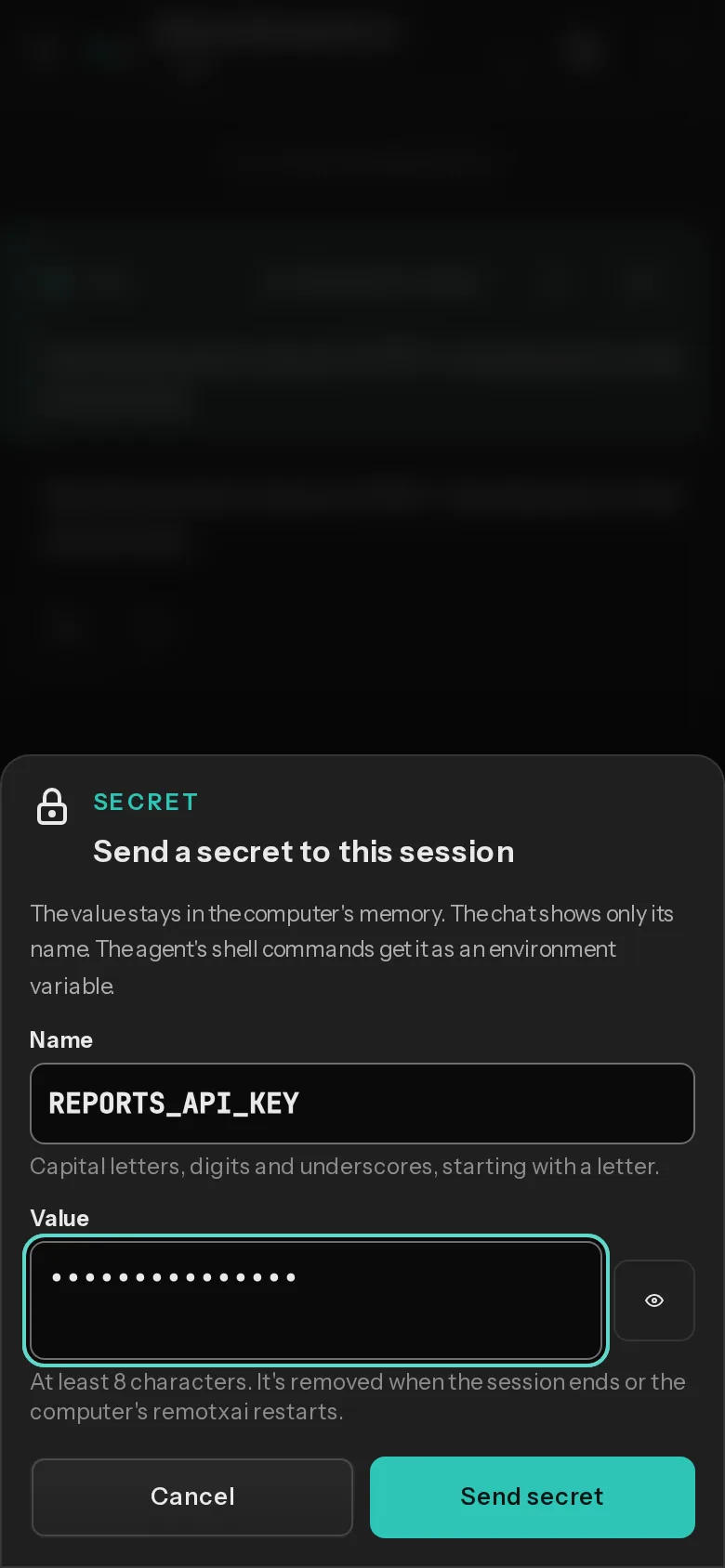
Send a secret outside the chat
Type it on your phone. It goes to a private file on your computer. The chat shows only its name.
From install to first session
Install on your computer
Run it on the computer where your agents run. macOS and Linux only.
curl -fsSL https://app.remotxai.com/install.sh | shApprove it in the app
Run
remotxai up. It opens app.remotxai.com. Check the computer’s name and tap Approve.Add more computers the same way.
Steer your agents
Pick a folder and an agent, send a message, and follow along from your phone.
Works with the agents you already run
| Agent | Command | Status |
|---|---|---|
| Claude Code | claude | Supported |
| Codex | codex | Supported |
| Pi | pi | Experimental |
Each one must be installed and signed in on your computer. On your phone, use Safari on iPhone or Chrome on Android.
Our server can’t read your sessions
Your phone and computer talk end-to-end encrypted. Here’s what that covers and what it doesn’t.
| Topic | What remotxai does |
|---|---|
| Encryption | End to end, phone to computer. Our server can’t read prompts, output, approvals or queued messages. |
| What we see | Our relay, which passes your sessions along, sees connection times, message sizes and which computers are online. It stores no session content. Your account holds your email, computer names, public keys and usage counts. |
| Open ports | None. Your computer connects out. |
| Pairing | Scan a QR code, then confirm a short code on the computer. A pairing request expires after 3 minutes. |
| Device access | Each device gets its own role (viewer, approver, driver or admin) for one session, one folder or everything. |
| Approvals | Your computer checks each approval against its session. A viewer can’t approve. |
| Panic stop | One tap stops every turn and sub-agent and pauses standing approvals until you resume. Needs full access. |
| Secrets | Saved to a file only you can read, masked in later output, deleted when the session ends. |
| Push | Encrypted to your device. The push service sees only timing and size. |
What remotxai doesn’t protect against
- A compromised computer, since remotxai runs as you.
- A paired phone in the wrong hands, until you revoke it.
- Bugs in Claude Code, Codex or Pi (experimental). remotxai doesn’t sandbox them.
remotxai doesn’t encrypt files on your computer or data in your browser. Anyone with that computer account or browser profile can read secrets, drafts and the phone’s key. You can export or delete your data.
Free, then flat plans
Paid plans aren’t open yet, and nobody is charged today. When they open: Free is 1 seat and 1 computer, and Starter is €15 a month (3 seats, 3 computers), Pro €59 (10 and 10) and Scale €179 (25 and 25). Yearly is 10 times the monthly price, 2 months free. Prices are in euros, VAT included, flat per organisation, with a monthly relay data allowance on each plan.
Works with trackxai
trackxai tracks the tasks. remotxai steers the agents working on them.
Questions
Which agents does it work with?
Claude Code, Codex and Pi (experimental), installed and signed in on your computer.
Can you read my sessions?
No, they’re end-to-end encrypted. Our relay, the server in the middle, sees only connection times, message sizes and which computers are online. Your account holds your email, computer names and public keys.
Do I need to open a port?
No. Your computer connects out.
What happens if I lose my phone?
Revoke it in Account > Devices from any signed-in browser. For a phone you paired without an account, see the FAQ in the docs.
Does remotxai sandbox my agents?
No. You can block specific commands, paths and URLs, or make them ask first.
How do I sign in?
With Google or an email link. Add a passkey to approve with one tap.
Can I install it on my phone?
Yes, it’s a web app. On iPhone, add it to your home screen to get notifications. On Android, tap Install.
Can my team use it?
Yes. Invite members to your organisation and share computers with them.
Can I use it without your server?
Yes, on the same Wi-Fi. Your phone connects straight to your computer.
Can I try it today?
Yes. Create an account at app.remotxai.com. Paid plans aren’t open yet, and nobody is charged today.
What does Panic stop do?
Stops every agent at once and pauses standing approvals until you resume.
Step away from the desk
Install remotxai and pair your phone.